What plans are
Jeramyl offers tiered subscription plans that determine which features are available, how many transactions and AI messages you can use per period, and how many team members or workspaces you can manage. Each plan is priced to match the scale and needs of different businesses.
Plans are subscription-based — billed monthly or annually — and can be upgraded at any time. Annual billing offers a lower monthly rate compared to monthly billing.
Plan details, limits, and pricing shown in this article are for reference. Always check the Pricing page for the most up-to-date information — limits and features may vary. The pricing page is the authoritative source.
Free plan
The Free plan lets you start using Jeramyl without a credit card. It gives you access to core bookkeeping features — recording transactions, uploading receipts, creating invoices, and tracking expenses — within a single workspace.
What the Free plan includes
- Access to core bookkeeping features: transactions, receipts, invoices, bills, and categories.
- A limited number of transactions per month — see the Pricing page for the current limit.
- A limited number of AI messages per period.
- Single workspace.
Free plan limitations
- Transaction and AI message counts are capped. Once you reach the limit, you need to upgrade to continue adding records or using the AI assistant.
- Some features — such as advanced reports, multi-workspace support, team members, or spending limits — may require a paid plan. Check the Pricing page to see which features are included at the Free tier.
The Free plan is a genuine way to evaluate Jeramyl with your own records. If you hit a limit while exploring the product, upgrade to Pro to continue — you can always downgrade at the end of a billing period if it is not the right fit.
Pro plan
The Pro plan is designed for growing businesses that need higher transaction and AI message limits, more features, and the ability to collaborate with a team member or accountant.
What Pro includes
- Higher transaction limits — enough for most small and growing businesses. See the Pricing page for the current monthly limit.
- Higher AI message limits — more questions, summaries, and insights per period.
- Access to features not available on Free — which may include reports, exports, spending limits, team members, and integrations. Check Pricing for a current feature comparison.
- Monthly or annual billing available. Annual billing is the lower-cost option.
Plan pricing and specific limits are shown on the Pricing page. Prices and included features may change; the pricing page always reflects current information. This article uses general descriptions and does not list specific dollar amounts or exact limits.
Business plan
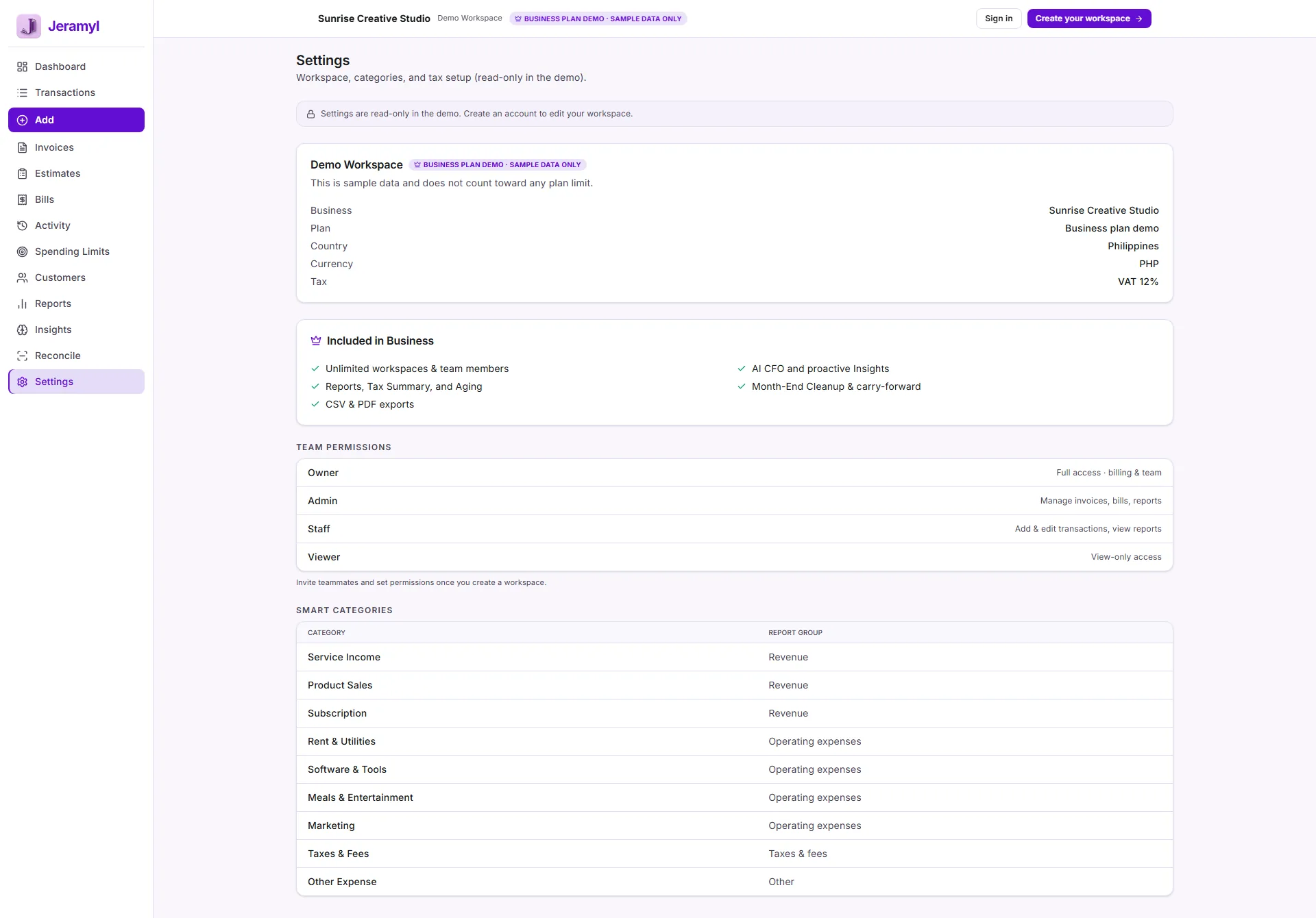
The Business plan is designed for businesses that manage multiple entities, have higher transaction volumes, need more team members, or want the highest AI message allocation and full feature access.
What Business includes
- The highest transaction limits across all plans — suitable for busy businesses with frequent transactions.
- The highest AI message limits per period.
- Multi-workspace support — manage multiple businesses from a single account.
- Team member support — invite collaborators, accountants, or staff to specific workspaces.
- Full feature access, including all reports, exports, integrations, and controls available in Jeramyl.
If you run multiple business entities, the Business plan lets you manage them from a single Jeramyl account using separate workspaces — each with its own records, reports, and settings. For a detailed walkthrough of multi-workspace management, read the Multi-Business and Workspaces guide.
Transaction limits
Each Jeramyl plan includes a transaction limit — the maximum number of financial records (income, expense, and other transactions) you can add within a billing period. The limit resets at the start of each new billing period.
What counts as a transaction
- Each income or expense entry you add to the transaction list counts toward your transaction limit.
- Transactions created automatically through bank connections or imports may also count. Check the in-app usage indicator to see your current count.
How to check your transaction usage
- Go to Settings → Billing or Settings → Plan within the active workspace to see your current transaction count and the limit for your plan.
- The workspace may also show a usage indicator or alert when you are approaching the limit.
Specific transaction limits per plan are listed on the Pricing page. Limits may vary; always check the pricing page for current information. Plan details shown in-app within Settings → Billing are also authoritative for your current subscription.
AI message limits
The Jeramyl AI assistant answers questions about your business, summarises records, and helps you understand financial data. Each plan includes a limit on how many AI messages you can send per period. The limit resets at the start of each new billing period.
What counts as an AI message
- Each question or request you send to the AI assistant within Jeramyl counts as one AI message.
- Responses generated by the AI do not count separately — only your outgoing messages count toward the limit.
What the AI assistant is for
- Asking questions about your income, expenses, cash flow, or trends.
- Getting plain-language summaries of financial data in a workspace.
- Understanding categories, records, or reports.
The AI assistant helps you understand and navigate your financial records in Jeramyl — it does not replace an accountant, bookkeeper, or financial adviser. AI responses depend on the records in your workspace and should not be used as tax advice, legal advice, or financial decisions without independent professional verification.
Workspace and team limits
The number of workspaces you can create and the number of team members you can invite to a workspace depends on your plan.
Workspace limits
- The Free plan typically supports one workspace. If you need multiple workspaces for multiple businesses, an upgrade may be required.
- Pro and Business plans support more workspaces — see the Pricing page for current limits.
Team member limits
- The number of team members you can invite per workspace varies by plan.
- If you need to invite more team members than your current plan allows, upgrading unlocks a higher limit.
- See the Pricing page for the current team member limits per plan.
For a detailed guide to team member management and workspace access, read the Team Members and Permissions guide.
Upgrade your plan
- Sign in at app.jeramyl.com.
- Navigate to Settings → Billing or Settings → Plan within the active workspace.
- Review the available plans and their current features and limits.
- Select the plan you want to upgrade to and complete the billing step.
- Upgraded access is typically available immediately after payment is processed.
Annual vs. monthly billing
- Monthly billing: pay each month, cancel at any time.
- Annual billing: pay once for the year at a lower effective monthly rate. See the Pricing page for the annual discount.
If you are approaching a transaction or AI limit and need to continue working immediately, upgrading resolves the limit right away. Your billing cycle resets on the date you originally subscribed, not on the date you upgrade.
When you reach a limit
When you reach a transaction or AI message limit on your current plan, Jeramyl will notify you — typically with an in-app alert or a prompt when you attempt an action that would exceed the limit.
What happens at each type of limit
- Transaction limit reached: You may not be able to add new transactions until the billing period resets or you upgrade to a higher-limit plan.
- AI message limit reached: The AI assistant becomes unavailable for the remainder of the billing period, or until you upgrade. Your existing records remain fully accessible — only the AI messages are paused.
- Workspace limit reached: You cannot create additional workspaces until you upgrade to a plan that supports more workspaces.
- Team member limit reached: You cannot invite additional team members to a workspace until you upgrade to a plan with a higher team member limit.
Options when you reach a limit
- Wait for the period to reset: Transaction and AI message limits reset at the start of the next billing period.
- Upgrade your plan: Upgrading immediately unlocks the higher limits of the new plan. Go to Settings → Billing to upgrade.
Records already in the workspace are not affected when you reach a limit. Reaching a transaction limit means you cannot add new records until the limit resets or you upgrade — it does not remove or hide existing records.
Review billing and invoices
- Sign in at app.jeramyl.com.
- Navigate to Settings → Billing within the active workspace.
- Your current plan, next billing date, and plan limits are shown here.
- Billing history and invoices for your subscription can also be accessed from this page.
- To update your payment method or cancel a subscription, use the options available in Settings → Billing.
If you have a billing question
- Review your most recent billing email for the invoice and payment details.
- Check Settings → Billing for your plan status and next renewal date.
- Contact Jeramyl support at jeramyl.com/contact if you have questions about a charge, a refund, or a billing error.
Jeramyl uses a third-party billing provider to handle subscription payments. Payment details are managed securely by the billing provider — Jeramyl does not store your full card number. If you have a billing dispute, contact Jeramyl support first so the team can investigate and assist.
What plans do not include
- Plans do not include accounting or tax advice. Jeramyl helps you organise and understand your financial records — it does not provide tax advice, legal advice, or accounting services. Consult a qualified accountant or tax professional for advice specific to your situation.
- AI messages do not constitute financial advice. The AI assistant helps you understand your data in Jeramyl — responses should not be used as the basis for tax filings, financial decisions, or legal compliance without independent professional review.
- Plan upgrades do not add transactions retroactively. Upgrading increases your limit for the current and future periods — it does not increase the number of transactions you could have added in a past period.
- Plan limits are per workspace, not per account, in some cases. Check the current plan details at jeramyl.com/pricing for clarification on how limits apply across multiple workspaces on a single account. Plan details may vary.
Best practices
- Check your current transaction and AI usage in Settings → Billing periodically — especially if you have a high-volume month approaching.
- If you regularly approach your transaction limit, consider upgrading before you hit it — limits block new records immediately when reached, which can interrupt your workflow.
- Use annual billing if you plan to use Jeramyl for a full year — it offers a lower effective monthly rate than monthly billing.
- Review the Pricing page before upgrading to confirm the features and limits on the target plan. Feature sets and limits may be updated over time.
- When a team member no longer needs access, remove them from Settings → Team to keep your workspace access list clean and accurate. This does not affect billing.
- Contact Jeramyl support if you believe you were charged incorrectly or if your plan limits do not match what is shown on the Pricing page.
FAQ
Your existing records remain in the workspace — downgrading does not delete data. However, features not available on the Free plan become inaccessible, and you will be subject to the lower transaction and AI message limits of the Free plan going forward. Records created above the Free plan limit remain visible, but adding new records may be restricted if you have already used the Free plan's monthly allocation.
Transaction and AI message limits reset at the start of each billing period. For monthly billing, this is each month. For annual billing, AI message limits typically reset monthly even on an annual plan — check Settings → Billing or the Pricing page for current reset details, as they may vary.
Jeramyl's Free plan lets you explore core features without a card. Upgrade anytime from Settings → Billing to access paid-plan features. Check the Pricing page for current trial or promotional options — availability may vary.
Go to Settings → Billing within the active workspace and use the cancel subscription option. Cancellation typically takes effect at the end of the current billing period — you retain access until then. If you need help cancelling, contact Jeramyl support.
The Pricing page at jeramyl.com/pricing is the authoritative source for current plan prices, included features, transaction limits, AI message limits, workspace limits, and team member limits. Plan details in this article are for general reference and may not reflect the latest changes.